MidJourney AI Review 2026 – Features, Pricing, Best Prompts & Complete Beginner Guide
MidJourney AI Review 2026: If you are searching for the best AI image generator that delivers cinematic, ultra-realistic visuals, you have likely come across MidJourney.
In 2026, MidJourney remains one of the most powerful and visually impressive AI art tools available. It is widely used by designers, marketers, YouTubers, bloggers, e-commerce brands, agencies, and digital entrepreneurs who need premium-quality visuals without hiring a graphic designer.
But is MidJourney still worth paying for in 2026? How much does it cost? Is it better than DALL·E or Stable Diffusion? And how can beginners start generating professional images today?
This in-depth guide answers all of those questions and more.
What Is MidJourney AI?
MidJourney AI is an advanced text-to-image generator that creates high-quality visuals from written prompts. Users describe what they want, and the AI generates four image variations within seconds.
Unlike many competitors that focus mainly on speed or simplicity, MidJourney emphasizes:
- Cinematic lighting
- Realistic textures
- Advanced composition
- Artistic depth
- Creative styling control
This focus on artistic quality makes MidJourney especially popular among professionals who care about visual impact.
What’s New in MidJourney 2026?
The 2026 updates have significantly improved performance and realism.
1. Improved Photorealism
Skin textures, reflections, shadows, and material rendering now look remarkably realistic.
2. Faster Rendering Speed
Image generation is up to 40% faster compared to previous versions.
3. Better Prompt Understanding
The AI now interprets complex prompts with multiple descriptive layers more accurately.
4. Enhanced Hands & Facial Details
One of the biggest AI weaknesses has been dramatically improved.
5. Advanced Aspect Ratio Controls
Create content optimized for:
- YouTube thumbnails (16:9)
- Instagram posts (1:1)
- Stories (9:16)
- Print formats
6. Clearer Commercial Licensing
All paid plans include commercial usage rights with transparent terms.
How to Use MidJourney AI (Step-by-Step for Beginners)
Step 1: Create a Discord Account
MidJourney operates primarily through Discord. Create a free account if you don’t already have one.
Step 2: Join the Official MidJourney Server
Visit the official MidJourney website and join their Discord server.
Step 3: Choose a Paid Plan
MidJourney requires an active subscription to generate images.
Step 4: Use the /imagine Command
Type:
/imagine cinematic portrait of a futuristic warrior, dramatic lighting, 4K, ultra-detailed
Step 5: Select Variations or Upscale
- U1–U4 = Upscale selected image
- V1–V4 = Generate variations
With practice, you will quickly improve your prompt-writing skills.
MidJourney AI Key Features (Deep Analysis)
Ultra-Realistic Image Generation
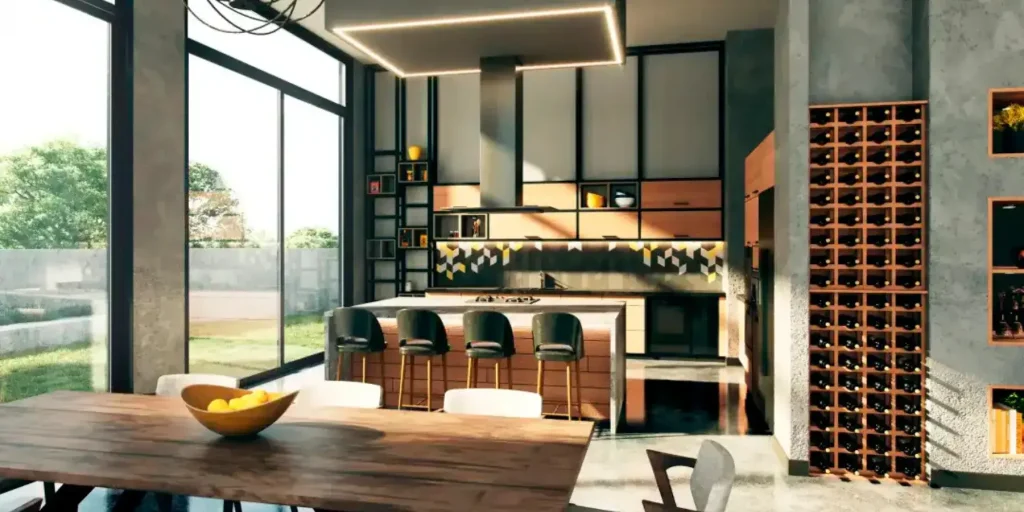
MidJourney produces industry-leading results for portraits, product photography, landscapes, architecture, and cinematic scenes.
Advanced Prompt Control
You can control:
- Lighting (golden hour, studio, soft, dramatic)
- Camera lenses (85mm, wide-angle, macro)
- Mood (mysterious, joyful, intense)
- Resolution (4K, 8K)
- Style (cyberpunk, watercolor, anime, oil painting)
High-Resolution Upscaling
Perfect for professional marketing assets and high-quality web graphics.
Remix Mode
Edit existing generations without starting from scratch.
Stealth Mode (Pro Plan)
Generate images privately without public Discord visibility.
MidJourney Pricing 2026 (Updated Breakdown)
- Basic Plan: Around $10/month – Limited GPU time
- Standard Plan: Around $30/month – Relaxed Mode included
- Pro Plan: Around $60/month – Fast + Stealth Mode
- Mega Plan: Around $120/month – High-volume generation
Important: There is no permanent free plan in 2026.
Best MidJourney Prompts for High-Quality Results
Photorealistic Business Portrait
/imagine ultra-realistic CEO portrait, soft window lighting, 85mm lens, editorial photography, 8K
Fantasy Scene
/imagine epic dragon flying over medieval castle at sunset, cinematic lighting, hyper-detailed, 4K
YouTube Thumbnail
/imagine shocked tech reviewer, neon background, dramatic lighting, high contrast, 16:9
Pro Tip: Always include lighting, lens type, resolution, and mood for better results.
MidJourney vs DALL·E vs Stable Diffusion (2026 Comparison)
| Feature | MidJourney | DALL·E | Stable Diffusion |
|---|---|---|---|
| Image Quality | ⭐⭐⭐⭐⭐ | ⭐⭐⭐⭐ | ⭐⭐⭐⭐ |
| Ease of Use | Moderate | Very Easy | Technical |
| Creative Control | Advanced | Moderate | Very High |
| Free Plan | No | Limited | Yes (Open Source) |
MidJourney clearly dominates in artistic rendering and cinematic quality.
Pros and Cons
Pros
- Industry-leading visual quality
- Strong creative flexibility
- Commercial usage included
- Active community
- Frequent updates
Cons
- No free plan
- Requires Discord
- Learning curve for prompts
Who Should Use MidJourney?
- Content creators
- Digital marketers
- Agencies
- E-commerce brands
- Game developers
- Bloggers
- Design professionals
Is MidJourney Worth It in 2026?
If you prioritize visual excellence, MidJourney is absolutely worth the investment.
While it requires a subscription and some learning, the output quality consistently justifies the cost for serious creators and businesses.
Final Verdict – 4.8/5 ⭐
MidJourney AI continues to lead the AI image generation industry in 2026. Its cinematic quality, realism, and creative flexibility make it one of the most powerful tools available today.
If you want premium AI-generated visuals that elevate your brand, MidJourney is a strong and reliable choice.
Frequently Asked Questions
Is MidJourney AI free?
No, MidJourney requires a paid subscription to generate images.
Can I use MidJourney images commercially?
Yes, all paid plans include commercial usage rights.
Is MidJourney better than DALL·E?
MidJourney is generally preferred for cinematic and artistic quality, while DALL·E is easier for beginners.
Does MidJourney require Discord?
Yes, Discord remains the primary interface for image generation.
Last Updated: 2026