AI Logo Design Tools: Best Platforms to Create Professional Logos in Minutes
Let me ask you something. Remember the last time you tried to design a logo? You stared at a blank screen for an hour, moved a few shapes around, and ended up with something that looked… well, not great.
I’ve been there too.
Here’s the thing, though—in 2026, you don’t need to be a designer to create a logo that actually looks professional. You don’t need to spend thousands on agencies or struggle with complex software.
AI logo design tools have completely changed the game. And honestly? They’re surprisingly good.
Whether you’re launching a startup, starting a blog, or finally rebranding that side project you’ve been ignoring, AI can help you create something you’ll actually be proud to use.
In this guide, I’m going to walk you through the best AI logo tools available right now. No fluff, no technical jargon—just honest talk about what works, what doesn’t, and how to create a logo in minutes without losing your mind.
So What Exactly Are AI Logo Design Tools? (Simple Explanation)
Let’s keep this straightforward. AI logo design tools are websites or apps that use artificial intelligence to create logo ideas for you. You tell them a bit about your business, and they generate options automatically.
Here’s how they actually work behind the scenes:
- You type in your business name and pick your industry
- The AI looks at millions of existing logos and design patterns
- It analyzes which colors, fonts, and icons work well together
- Then it generates dozens of logo variations in seconds
Think of it like having a designer who’s studied every logo ever made—and can create new ideas instantly based on what you want.
The best part? You don’t need to know anything about design. The AI handles the heavy lifting.
Why Everyone’s Switching to AI Logos
I talked to several small business owners who recently used AI for their branding. Here’s why they made the switch.
It’s Ridiculously Fast
The old way: You email a designer, wait days for concepts, send feedback, wait more days, repeat. The whole process takes weeks.
AI way: You type your business name, pick some styles you like, and boom—dozens of logos in seconds. Pick one, tweak it, download it. Done in an afternoon.
One entrepreneur told me, “I needed a logo for a pitch deck I was presenting on Friday. On Wednesday, I had nothing. On Wednesday afternoon, I had 30 options. AI saved me.”
You Don’t Need to Be a Designer
Not everyone has an eye for design. And that’s totally fine. AI fills that gap.
You don’t need to know why a certain font works or which colors complement each other. The AI already knows. It makes design decisions based on proven principles, not guesswork.
A blogger I know put it this way: “I’m a writer, not a designer. My first DIY logo looked like it was made by a child. AI gave me something I’m actually proud to put on my site.”
It Costs Pennies Compared to Designers
Hiring a professional logo designer can easily cost $500, $1000, or more. For a startup or small business, that’s real money.
AI tools charge maybe $20-$50 for a complete logo package. The quality gap? Much smaller than the price gap.
One founder told me, “I used AI for my first logo when I had no budget. Now my company is doing well, and I still use that same logo. Never needed to upgrade.”
You Get Unlimited Do-Overs
Ever felt awkward asking a designer for “one more revision”? With AI, you can generate hundreds of variations without annoying anyone. Didn’t like the first batch? Click a button and get completely different ones.
This freedom actually helps you find something you truly love, not just something you settle for.
The Best AI Logo Tools in 2026 (What Actually Works)
I’ve tested most of these personally and talked to people who use them daily. Here’s the honest breakdown.
1. Looka – The Most Polished Option
Looka used to be called Logojoy, and it’s been around for years. There’s a reason it’s still one of the most popular choices.
The process is smooth. You tell it your industry, pick colors you like, choose some logo styles you’re drawn to, and it generates options that actually make sense. Not random junk—real, usable concepts.
What sets Looka apart is the complete branding package. Once you pick a logo, you can instantly get business cards, social media templates, and brand guidelines that match. Everything feels cohesive.
Who it’s for: Anyone who wants a professional logo and might need other brand assets later.
The truth: It’s not the cheapest, but the quality is consistently good.
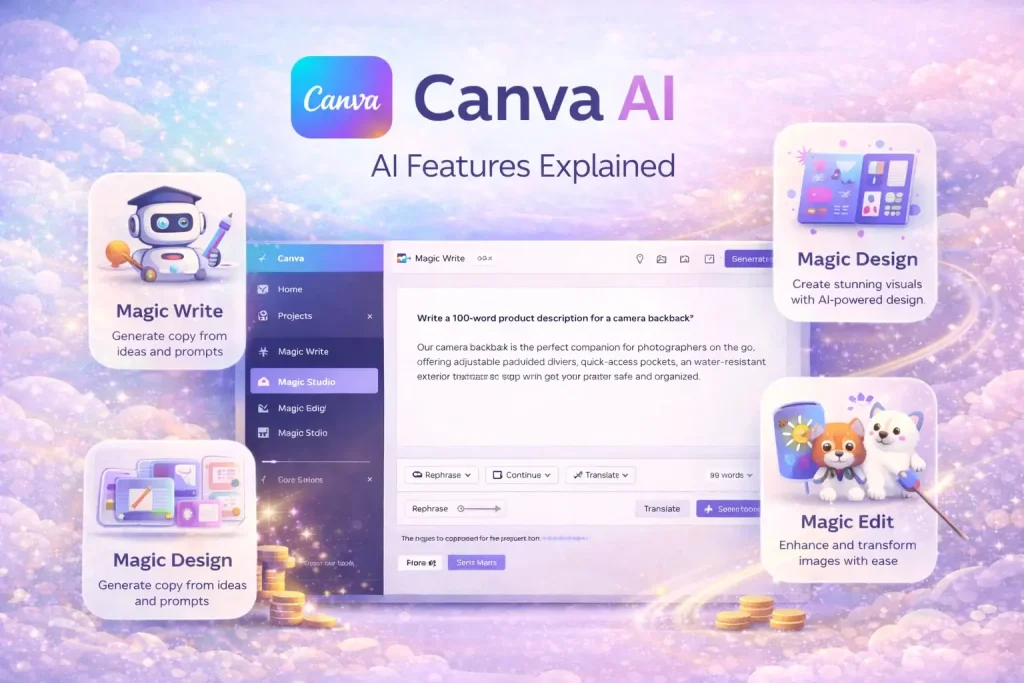
2. Canva AI Logo Generator – The Beginner’s Best Friend
If you’ve used Canva before, you already know how easy it is. Their AI logo generator follows the same philosophy—simple, intuitive, hard to mess up.
You answer a few questions, and Canva serves up logo ideas. Then you can tweak everything using their drag-and-drop editor. Fonts, colors, layout—all adjustable without any design knowledge.
The biggest advantage? Once your logo is done, you’re already in Canva. You can immediately create social media posts, flyers, and presentations that match your new brand.
Who it’s for: Beginners, small business owners, and anyone already using Canva.
The truth: The logos are good, not mind-blowing. But for the price and convenience, it’s hard to beat.
3. Wix Logo Maker – Great for Website Integration
Wix Logo Maker asks you a series of questions about your business, then generates logo options tailored to your answers. The AI actually considers your industry and target audience, not just your color preferences.
If you’re building a Wix website (and many people are), this is incredibly convenient. Your logo integrates seamlessly with your site. No file exporting, no uploading—it just works.
Who it’s for: Wix users, people who want logos that match their website perfectly.
The truth: Works best if you’re already in the Wix ecosystem. Standalone, it’s still solid but not the absolute best.
4. Tailor Brands – All-in-One Branding
Tailor Brands takes a slightly different approach. It doesn’t just create a logo—it tries to build your entire brand identity.
The AI asks detailed questions about your business, your values, and your target audience. Then it generates a logo and a complete brand package including color palettes, font pairings, and even social media branding.
They also offer tools for building a website, designing marketing materials, and managing your online presence. It’s like a branding agency in software form.
Who it’s for: People who want more than just a logo—a complete brand identity.
The truth: Can feel overwhelming if you just want a simple logo. But if you need the full package, it’s impressive.
5. LogoAI – The Automation Champion
LogoAI focuses heavily on the “AI” part. The technology feels more advanced here—the logos it generates are often surprisingly creative and unique.
You start by entering your business name and industry. The AI asks about your style preferences, then generates dozens of options. What impressed me was how varied the designs were. Not just slight variations, but genuinely different concepts.
Once you pick a logo, LogoAI can generate matching business cards, social media assets, and even app icons automatically.
Who it’s for: People who want creative, unique logos that stand out.
The truth: Slightly more expensive than some competitors, but the quality justifies it.
Quick Comparison: Which Tool Should You Pick?
| Tool | Best For | Standout Feature | Price Range |
|---|---|---|---|
| Looka | Professional branding | Complete brand kits | $$ |
| Canva | Beginners, social media | Integration with design tools | $ |
| Wix | Wix website owners | Seamless site integration | $$ |
| Tailor Brands | Full brand identity | Complete branding system | $$ |
| LogoAI | Creative, unique logos | Advanced AI generation | $$ |
How to Create a Logo With AI (Step by Step)
If you’ve never used an AI logo tool before, here’s exactly what the process looks like. It’s simpler than you might think.
Step 1: Enter your business name
Type in your company or brand name. Some tools also ask for a tagline if you have one.
Step 2: Pick your industry
Choose from categories like tech, food, fashion, consulting, etc. This helps the AI understand what kind of imagery makes sense for your business.
Step 3: Choose styles you like
Most tools show you examples and ask which ones appeal to you. Minimalist? Playful? Professional? The AI learns your preferences.
Step 4: Pick colors
Select colors that represent your brand. If you’re not sure, most tools suggest palettes that work well together.
Step 5: Watch the AI work
In seconds, you’ll see dozens of logo options. Scroll through, save ones you like.
Step 6: Customize your favorite
Pick a logo and tweak it—change colors, adjust fonts, move elements around. Most editors are drag-and-drop simple.
Step 7: Download your files
Once you’re happy, download high-resolution files. Most tools give you PNG, JPG, and vector formats suitable for web and print.
The whole process? Usually 10-15 minutes. Maybe 30 if you’re indecisive like me.
What Real Users Are Saying
I reached out to people who’ve used these tools for their actual businesses. Here’s what they shared.
A food blogger told me, “I used Canva for my logo because I was already using it for blog graphics. Took me 20 minutes. Six months later, I still get compliments on my branding. Nobody believes it was AI.”
A startup founder shared: “We had zero budget for design. Looka gave us a logo that looked good enough to launch with. Now we have real customers, and the logo still works. We’ll hire a designer someday, but there’s no rush.”
A small business owner said, “I tried designing my own logo, and it was embarrassing. Wix Logo Maker saved me. My customers actually recognize my brand now. Worth every penny.”
A skeptical designer admitted, “I was sure AI logos would be terrible. Then I tried LogoAI and… okay, some of them are actually decent. Not replacing me anytime soon, but for small businesses with no budget? Solid option.”
Are AI Logos Really Professional Enough?
This is the question everyone asks. And the honest answer is: it depends.
For most small businesses, blogs, and startups? Absolutely. An AI-generated logo will look more professional than something you’d create yourself without design skills. It’ll be clean, balanced, and appropriate for your industry.
For established companies with serious branding needs? You might still want a human designer. A professional can dig deep into your brand strategy, create something unique, and ensure it works across every possible application.
But here’s the thing—many businesses start with AI logos and upgrade later. There’s no shame in that. Get something decent now, start building your brand, and reinvest when you’re making money.
One founder told me, “Our AI logo got us through the first two years. When we could afford a designer, we upgraded. No regrets. The AI logo paid for itself many times over.”
Common Questions People Ask
What’s the best AI logo design tool?
Honestly, it depends on what you need. Looka is great for polished, professional results. Canva wins for simplicity and integration. Wix is perfect if you’re building a website there. Tailor Brands if you want full branding. LogoAI if you want creative, unique designs. Try a couple—most have free trials.
Can AI really create professional logos?
Yes, absolutely. Modern AI tools generate logos that are clean, balanced, and appropriate for most businesses. You won’t get the deep strategic thinking of a human designer, but you’ll get something that looks professional and works for your needs.
Are AI logo makers free?
Most let you create logos for free, but you’ll pay to download high-resolution files. Prices range from $20-$50 for a complete logo package. Considering a human designer costs hundreds or thousands, that’s a steal.
Do I need design skills to use these tools?
Not at all. That’s the whole point. The AI handles the design decisions. You just pick what you like. If you can answer questions about your preferences, you can create a logo.
Can I use an AI logo for my business legally?
Yes. When you purchase a logo from these platforms, you get full commercial rights. You own it. You can use it on your website, social media, business cards, products—anywhere.
What file formats do I need?
For websites and social media, PNG files work great. For printing, you’ll want vector files (SVG or EPS) that can scale to any size without losing quality. Most AI tools provide both.
How long does it take to create an AI logo?
The generation itself takes seconds. Customizing your favorite might take 10-15 minutes. The whole process, from start to download, usually takes less than an hour—often much less.
Will my AI logo be unique?
Yes, within reason. The AI generates combinations based on your inputs, so your specific combination of icon, font, colors, and layout will be unique to you. That said, two businesses in the same industry might end up with similar vibes. That’s where customization helps.
Can I modify an AI logo after downloading?
Most platforms store your designs so you can come back and edit later. Or you can download vector files and edit them in software like Illustrator or Inkscape.
Should I use AI or hire a designer?
If you have a budget and need a deep brand strategy, hire a designer. If you need something good fast and don’t have hundreds to spend, use AI. Many businesses start with AI and upgrade later. Nothing wrong with that.
Final Verdict: Should You Use AI for Your Logo?
Here’s my honest take after testing these tools and talking to real users.
If you need a logo and don’t have a big budget, absolutely yes. AI tools deliver professional results at a fraction of the cost. You’ll get something you can actually use, not something you’re embarrassed to put on your site.
If you’re already designing other materials in Canva, definitely use their tool. The convenience of having everything in one place is hard to beat.
If you want a complete brand identity, not just a logo, check out Looka or Tailor Brands. They’ll give you color palettes, fonts, and templates that all work together.
If you’re building a Wix site, use Wix Logo Maker. The integration is seamless and saves headaches.
If you want something truly creative and unique, LogoAI is worth the extra cost. Their generation feels more advanced.
The bottom line? AI logo tools in 2026 are genuinely good. They’re not magic—you still need to have opinions about what you like. But they handle the hard part: turning your preferences into something that actually looks professional.
One business owner summed it up perfectly: “I spent weeks stressing about my logo. Then I spent 20 minutes on an AI tool and had something I loved. Wish I’d done it months earlier.”
If you’re launching something new or rebranding something old, give one of these tools a try. Most have free trials or free generations. See what the AI comes up with. You might be surprised how good it is.
Overall: 4.6 out of 5
Last updated: March 2026