Best AI Tools for Students
Artificial Intelligence has completely changed how students study, write assignments, conduct research, and manage time. From AI-powered writing assistants to smart note-taking and research tools, students can now work faster and smarter. In this guide, we’ll explore the best AI tools for students that actually help improve learning, productivity, and academic performance.
Why Students Should Use AI Tools
AI tools help students save time, reduce stress, and improve the quality of their work. Whether you are in school, college, or university, AI can assist with homework, essays, exam preparation, presentations, and even coding.
- Faster research and idea generation
- Improved writing and grammar
- Better time management and productivity
- Personalized learning experience
1. ChatGPT – Best AI Tool for Learning & Assignments
ChatGPT is one of the most popular AI tools for students. It helps explain complex topics, generate assignment ideas, summarize notes, and even assist with coding and problem-solving.
Best for: Homework help, concept explanation, essay ideas, coding support
Free & Paid: Free version available
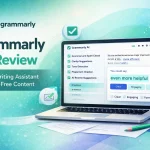
2. Grammarly – AI Writing & Grammar Assistant
Grammarly is an essential AI tool for students who want error-free writing. It checks grammar, spelling, tone, and clarity, making assignments more professional and readable.
Best for: Essays, emails, research papers
Free & Paid: Free version with premium upgrades
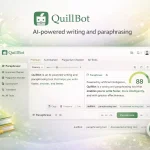
3. QuillBot – AI Paraphrasing & Summarizing Tool
QuillBot helps students rewrite content, avoid plagiarism, and summarize long texts. It is especially useful for research work and rewriting notes in simple language.
Best for: Paraphrasing, summarizing, rewriting content
Free & Paid: Free plan available
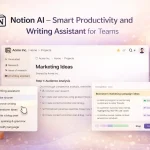
4. Notion AI – Smart Notes & Study Planner
Notion AI combines note-taking with AI intelligence. Students can organize study material, create to-do lists, generate summaries, and plan projects in one place.
Best for: Note-taking, task management, study planning
Free & Paid: Limited free usage
5. Google Gemini – AI Research & Study Assistant
Google Gemini helps students research topics, brainstorm ideas, and understand concepts with real-time web-backed insights.
Best for: Research, brainstorming, learning support
Free & Paid: Free version available
6. Canva AI – Presentations & Visual Projects
Canva AI allows students to create stunning presentations, posters, and graphics using AI-generated designs and content.
Best for: Presentations, assignments, creative projects
Free & Paid: Free plan for students
7. Otter.ai – AI Note-Taking for Lectures
Otter.ai records lectures and converts speech into accurate text notes. It’s perfect for students who attend online or in-person classes.
Best for: Lecture notes, meeting transcription
Free & Paid: Free version available
Free vs Paid AI Tools for Students
Most AI tools offer free plans that are enough for basic student needs. Paid versions unlock advanced features such as higher limits, greater accuracy, and premium tools. Students should start with free plans and upgrade only if needed.
How to Choose the Best AI Tool as a Student
- Identify your main need (writing, research, notes, productivity)
- Check if the free version is sufficient
- Ensure the tool is easy to use
- Avoid tools that encourage plagiarism
Final Thoughts
The best AI tools for students are those that improve learning without replacing critical thinking. When used correctly, AI tools can save time, boost productivity, and help students achieve better academic results. Start with a few tools from this list and build your own AI-powered study system.